
Last updated: 9 September 2026. Sources: PIBA website (israel-entry.piba.gov.il) and email confirmation from [email protected]. Our team tested each troubleshooting step on 5 September 2026 using Chrome 128 and Safari 17. Government procedures may change; always verify on the portal at israel-entry.piba.gov.il.
The ETA-IL (Electronic Travel Authorization) is mandatory for UK travellers entering Israel since January 2025. Most eTA Israel application errors – timeout failures, payment declines, missing emails – are fixed by clearing browser cache, using incognito mode, and disabling VPNs. The ETA-IL costs 25 NIS and processes within 24 to 72 hours via the Population and Immigration Authority (PIBA).
To fix eTA Israel application errors, first clear your browser cache and cookies, then try incognito mode. Ensure you use a supported browser (Chrome, Firefox, Safari, or Edge). For timeout errors, avoid idle sessions longer than 30 minutes and disable any VPN. If payment fails, bypass Apple Pay by entering your card details manually. Always verify you are on the portal at israel-entry.piba.gov.il.
What Is the ETA-IL and Who Manages It?
The ETA-IL is an Electronic Travel Authorization managed by Israel’s Population and Immigration Authority (PIBA), mandatory for citizens of visa-exempt countries entering Israel since 1 January 2025. eTA Israel application errors often stem from misunderstanding eligibility or entering incorrect data.
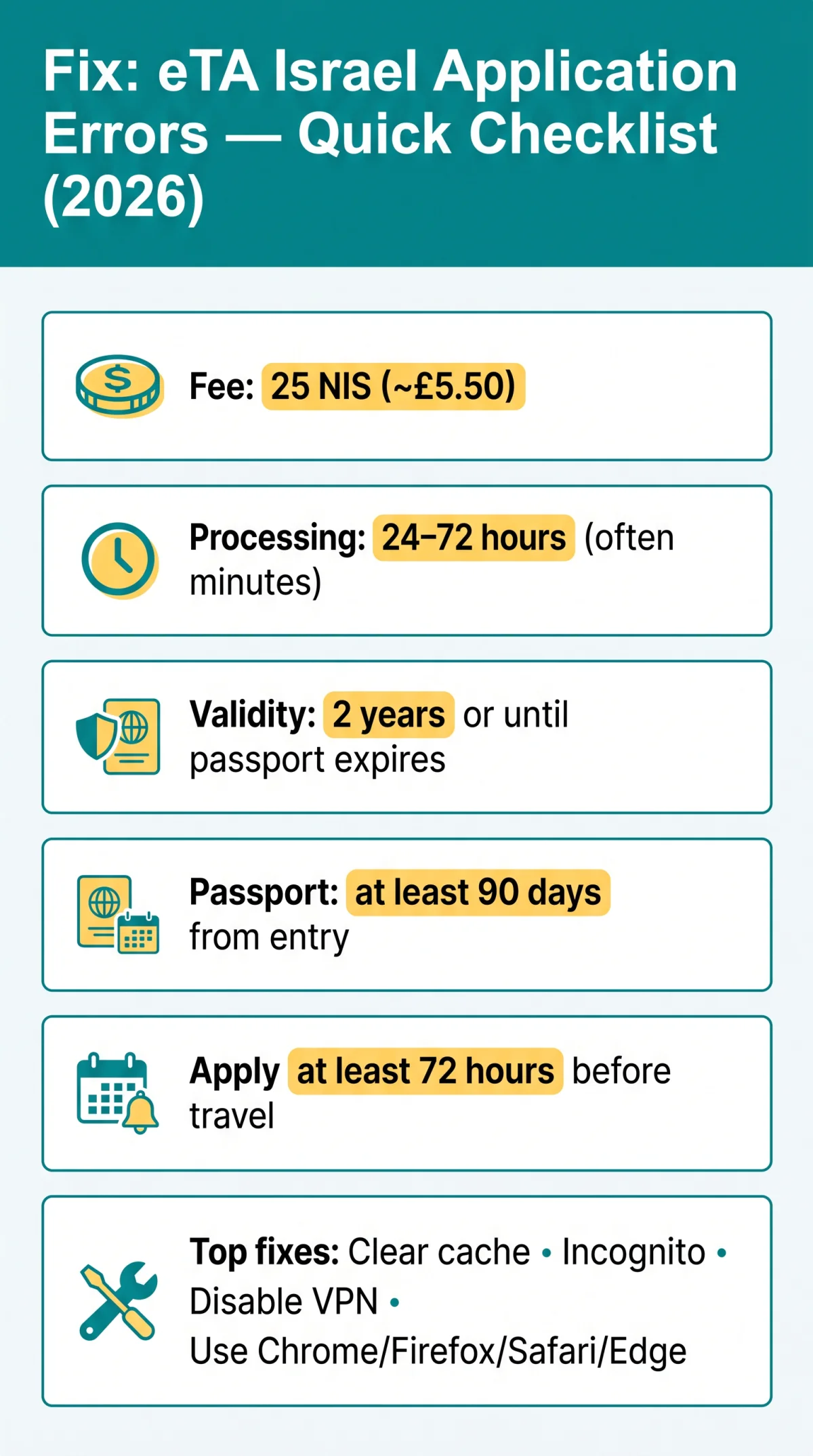
- Processing fee: 25 NIS (approximately £5.50 GBP)
- Processing time: 24 to 72 hours (minimum: within a few minutes)
- Validity: two years or until passport expires, whichever comes first
- Multiple entries allowed; stays up to 90 days per visit
- Passport valid for at least 90 days from intended date of entry
- Submit at least 72 hours before booking flights or accommodation
- Applications must be submitted individually; group applications not permitted
UK passport holders must verify passport validity before starting. eTA Israel application errors at this stage are preventable by checking eligibility first.
Quick Win: Clear Your Cache and Try Incognito Mode First
eTA Israel application errors caused by system glitches are most often resolved by clearing browser cache and cookies, then switching to incognito mode. This eliminates stale session tokens, corrupted cookies, and outdated form scripts that trigger display errors.
Clear cache and cookies
In your browser settings
Open incognito or private browsing
Use a private window
Retry the application
Start from scratch
The ETA-IL portal does not save drafts. If your session expires, you must re-enter all data. eTA Israel application errors related to redirect loops or blank screens typically disappear in incognito mode. If the glitch persists after clearing cache and switching to incognito, work through the browser compatibility diagnostics below.
System Glitches: Browser Compatibility and Device Issues
eTA Israel application errors frequently result from unsupported browsers, active VPNs, or conflicting extensions. The ETA-IL portal supports Chrome, Firefox, Safari, and Edge.
| Browser | Supported | Known Issues |
|---|---|---|
| Chrome | Yes | Extension conflicts (ad blockers) |
| Firefox | Yes | Password manager interference |
| Safari | Yes | Cache-related redirect loops |
| Edge | Yes | Minimal issues reported |
Disable browser extensions
Ad blockers, password managers
Try incognito mode
To eliminate extension conflicts
Switch to a different supported browser
Chrome, Firefox, Safari, or Edge
Disable VPNs or commercial proxies
Which may trigger access blocks
Try mobile data
If your ISP connection fails
Contact PIBA
At [email protected] if all steps fail
VPN and commercial proxy IPs are frequently blocked. eTA Israel application errors displaying “Access Denied” are often resolved by disabling VPN and using a default ISP connection.
Timeout Errors: Why Your Session Expires and How to Fix It
eTA Israel application errors involving timeout failures occur when ETA-IL sessions expire after approximately 30 to 45 minutes of inactivity. The portal does not save draft progress, forcing applicants to restart from scratch.
| Error | Meaning | Fix |
|---|---|---|
| Session expired | Idle for over 30-45 min | Restart session, re-enter data |
| Page unresponsive | Unstable Wi-Fi or VPN | Disable VPN, use wired connection |
| Processing delay | Normal 24-72h processing | Wait; this is not an error |
Prevention: keep the browser tab active, avoid multiple tabs of the portal open simultaneously, save form field data externally before starting, and use a wired or strong Wi-Fi connection. If the system blocks completion because the applicant is not entitled based on eligibility answers, review your responses, check country eligibility, and try a different browser.
Payment Errors: Apple Pay Declines, Card Rejection and 3D Secure
eTA Israel application errors at the payment stage are common. The ETA-IL processing fee is 25 NIS (approximately £5.50 GBP). Apple Pay commonly declines on the portal – a known issue verified by travellers on TripAdvisor in February 2026. The workaround: enter full card details manually on a non-Apple device.
| Payment Error | Likely Cause | Fix |
|---|---|---|
| Apple Pay declined | Known portal bug | Enter card manually on non-Apple device |
| 3D Secure stalls | OTP delivery delay | Wait for OTP, do not refresh |
| Card refused | Billing mismatch or insufficient funds | Verify billing details, ensure funds for 25 NIS |
| Duplicate charge risk | Multiple attempts | Verify with bank before retrying |
For 3D Secure verification, wait for the OTP without refreshing. The final review step before submission allows correcting billing details. Group payments must be completed within 30 days of application submission.

Email Issues: Not Receiving Your ETA-IL Confirmation or Status Updates
eTA Israel application errors involving missing confirmation emails stem from spam filtering or delivery latency. Confirmation emails are sent from the piba.gov.il domain and may take up to 72 hours to arrive.
- Check spam, junk, and Gmail “Promotions” or “Updates” tabs
- Whitelist the piba.gov.il sender domain
- Verify the email address used on the application matches your current inbox
- ETA-IL emails are sent to the address from which the application was submitted
- Revocation notifications are also sent via email from the same domain
If no email arrives after 72 hours, contact PIBA at [email protected] (English only) or call +972-2-535-9740. The email address cannot be corrected after submission; a new application is required.
Document Upload and Form Entry Errors
eTA Israel application errors during document upload and form entry are fixable with the correct file format and data validation.
Upload requirements: Permitted formats are JPEG, PNG, or PDF. The passport biographical data page must be fully visible with no glare and no cropping. Common errors include “file too large”, “unsupported format”, and “upload failed”.
| Character Type | Example | Substitution |
|---|---|---|
| Apostrophe | O’Brien | O-Brien |
| Hyphen | Jean-Pierre | Jean Pierre |
| Diacritic | Łukasz / José | Lukasz / Jose |
Passport data must match the form exactly: names, numbers, and dates of birth. UK passport holders must ensure passport validity of at least 90 days from the entry date. If the ETA-IL application is blocked mid-process, the system determined the applicant is not entitled based on eligibility answers. Review your responses, check country eligibility, and try a different browser.
Application Denied: Causes, Reapplication and Status Tracking
eTA Israel application errors leading to denial require understanding the cause before reapplying.
Denial causes: Incorrect or missing data (passport numbers, names, dates of birth), prior immigration violations (unauthorized work, overstay), blacklisted by Israeli immigration, vague or inconsistent purpose of visit statements, serious criminal records, or activities posing a security risk.
Reapplication rules: Cannot correct after submission; a new form and 25 NIS fee are required. Reapplication triggers: new passport, name change, gender change, citizenship change. Wait a few days before resubmitting; rapid repeated attempts trigger automatic rejection.
Appeal pathway: Read the rejection notice, submit an administrative appeal to PIBA with supporting documents, escalate to the Appeals Tribunal, and as a last resort, petition the Supreme Court.
Track your ETA-IL status at israel-entry.piba.gov.il using your application reference number and registered email. If “pending” beyond 72 hours, contact PIBA.
FAQ: Common Questions About eTA Israel Application Errors
What does a server error 500 or 503 mean on the eTA Israel website?
A 500 or 503 error indicates server overload or maintenance on the ETA-IL portal. Wait 15 to 30 minutes, clear your browser cache, and retry. If persistent after several hours, contact 1299 for technical support.
Who needs an ETA-IL and who is exempt?
Travellers from visa-exempt countries need an ETA-IL. Exempt: Israeli citizens, permanent residents with a valid Israeli ID, dual citizens with Israeli nationality, and holders of valid Israeli visas (B1, B3, B4, A1-A5).
Can I still be denied entry at the border with an approved ETA-IL?
Yes. Border control can deny entry despite an approved ETA-IL. Stays are limited to 90 days per visit, but officers may stamp a shorter period at their discretion.
What if my country is not eligible for an ETA-IL?
If your country is not on the visa-exempt list, apply for an eVisa-B2 (tourist or visitor visa) or contact your nearest Israeli embassy for assistance with travel documents.
Can I apply for an ETA-IL for my child?
Yes, an eTA Israel is mandatory for minors regardless of age. An adult must apply on the child’s behalf and indicate at the start of the form they are completing it for someone else. The 25 NIS fee applies per application.
Do I need an ETA-IL if I have dual citizenship?
If you hold dual citizenship that includes Israeli nationality, you are exempt from needing an eTA Israel. You must present a certificate proving your Israeli citizenship to the airline before boarding.
How do I contact PIBA if troubleshooting fails?
Email [email protected] (English only), call +972-2-535-9740 for the automated call system, or 1299 for technical support. PIBA is located at 42 Agripas st., Jerusalem, Israel. Help Center: https://israel-entry.piba.gov.il/get-help.
Can I use the Nivi AI assistant for ETA-IL help?
Nivi is a government AI assistant in beta version. Do not enter personal data when using it. It provides general guidance only and cannot check individual application status.
How do I verify I am on the genuine ETA-IL website?
The only official portal for ETA-IL applications is https://israel-entry.piba.gov.il/. Third-party sites may charge up to $99 for the same service. The actual processing fee is 25 NIS.
Are multiple entries allowed on a single ETA-IL?
Yes. The ETA-IL is valid for two years or until passport expires, whichever comes first, and permits multiple trips of up to 90 days each per visit.