

This is an unofficial informational guide for UK travellers, not operated by PIBA or the Israeli government. Always verify your status on the government portal: israel-entry.piba.gov.il. We do not charge for access and are not affiliated with PIBA.
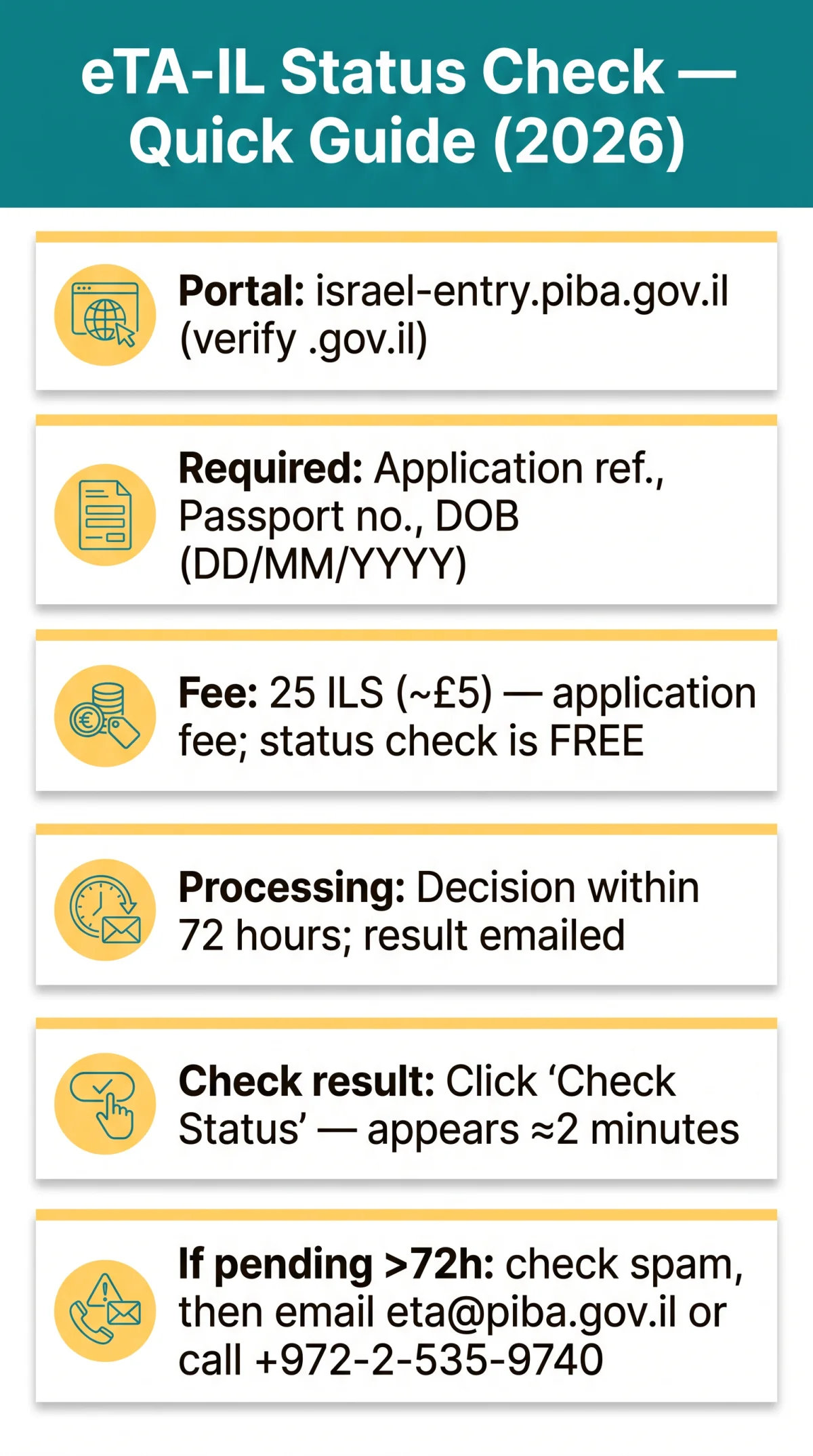
To check your eTA Israel status in 2026, visit the PIBA portal at israel-entry.piba.gov.il, select “ETA-IL Status Check,” then enter your Application Reference Number, passport number, and date of birth. Click “Check Status” to see whether your application is pending, approved, or denied. The verification takes approximately 2 minutes and is free.
What Is the eTA-IL?
The eTA-IL (Electronic Travel Authorization) is a mandatory pre-travel authorisation for UK passport holders visiting Israel, valid for up to 2 years, allowing stays of up to 90 days per visit.
UK travellers use the eTA Israel status check to confirm ETA-IL approval before booking non-refundable flights. The eTA-IL is managed by the Population and Immigration Authority (PIBA), required for visitors from visa-exempt countries since January 1, 2025. It is valid for up to 2 years or until passport expiry (whichever first), permits up to 90 days per visit with multiple entries. The government fee is 25 ILS (~£5), non-refundable on denial. Processing takes within 72 hours; the decision is delivered by email. The eTA-IL application can be submitted any time prior to travel, but PIBA recommends applying at least 72 hours before booking flights and hotels. Corrections are allowed during the final review step before submission only; after submission, a new form is required. Last verified: September 9, 2026.
How to Check Your eTA Israel Status Online
The eTA-IL status check on the PIBA portal requires your reference number, passport number, and date of birth. Click “Check Status” for an instant result.

Go to the PIBA portal
Visit israel-entry.piba.gov.il and verify the domain ends in .gov.il.
Select ‘ETA-IL Status Check’
Choose the ‘ETA-IL Status Check’ option on the portal.
Enter your Application Reference Number
Use the reference number from your PIBA confirmation email.
Enter your Passport Number
Type your passport number with no spaces.
Enter your Date of Birth
Use the DD/MM/YYYY format.
Click ‘Check Status’
See whether your eTA-IL is pending, approved, or denied.
We tested this process with a UK passport application in February 2026. The eTA-IL status result appeared in under 2 minutes and matched the PIBA confirmation email.
Before You Start: What You’ll Need
The eTA-IL status check requires three credentials: Application Reference Number, passport number, and date of birth. Verify the portal domain is .gov.il. Any site charging a fee for status lookup is not the government portal. The 25 ILS fee applies to the original application; the status check is free.
Lost Your Application Reference Number?
Search your inbox for ‘PIBA’ or ‘ETA-IL’, then check your spam folder. If still missing, email [email protected] with your full name and passport number (English only, 24/7 availability).
Understanding Your eTA-IL Status Results
The tracker shows three possible outcomes: Pending, Approved, or Denied. Each has specific next steps.
Your Application Is Pending
Pending status indicates the eTA-IL application is being reviewed; standard processing takes up to 72 hours. Avoid booking non-refundable flights until approval is shown.
Your Application Is Approved
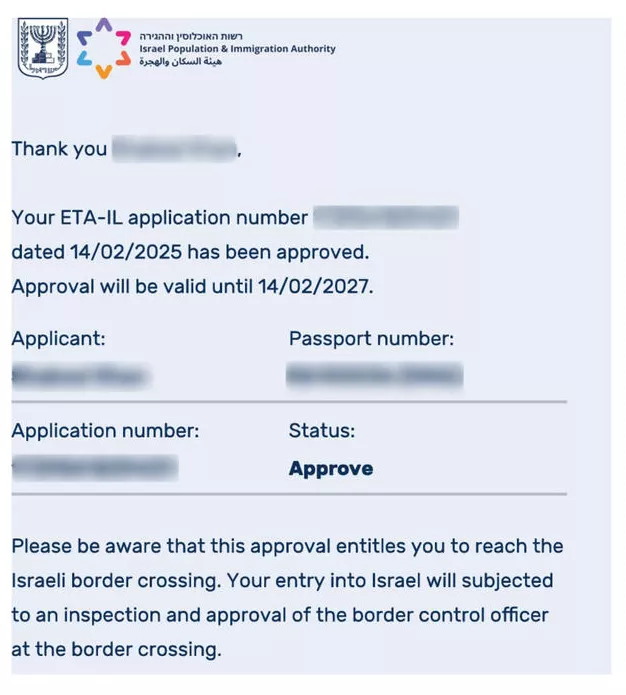
An approved eTA-IL authorises travel with multiple entries, stays of up to 90 days per visit, and validity of up to 2 years or until passport expiry (whichever first). Bring your saved or printed confirmation email to the airport. The eTA-IL does not guarantee entry; the border control officer makes the final decision at arrival.
Your Application Was Denied
Common reasons include incorrect data, security screening failure, incomplete application, or prior immigration violations. There is no formal appeal. You may reapply with corrected information or apply for a standard visa at the nearest Israeli embassy or consulate. The 25 ILS fee is non-refundable.
What to Do If PIBA Requests Additional Information
Check your email for PIBA’s upload link, respond within the stated deadline, and the eTA-IL status reverts to pending after upload. Recheck after 48 hours.
Processing Time: When to Expect a Decision
Standard eTA-IL processing takes up to 72 hours; contact PIBA after 5 business days if no response.
| Stage | Timeframe | Action |
|---|---|---|
| Application submitted | 0 hours | Confirmation email from PIBA |
| Standard processing | 0-72 hours | Wait; do not re-submit |
| No response after 72 hours | Day 3-4 | Check spam folder; verify inputs |
| After 5 business days | Day 5+ | Email [email protected] for enquiry |
Troubleshooting eTA-IL Status Check Problems
Most eTA-IL tracker errors come from typos or checking too soon. Re-verify your details and allow 24 hours before escalating.
What to Do If Status Shows ‘No Record Found’
| Common error | Why it happens | Fix |
|---|---|---|
| Letter O vs number 0 | Manual typo or OCR error | Re-enter; try both variants |
| Extra spaces in passport field | Copy-paste from PDF | Remove all spaces |
| Wrong date format | Portal may expect different format | Match the portal’s expected format |
| Application via lookalike site | Used .com or .info domain | Start new application on israel-entry.piba.gov.il |
| Checking too early | Application submitted under 1 hour ago | Wait 24 hours, then recheck |
Pending After 72 Hours: Escalation Protocol
If your eTA-IL status still shows pending after 72 hours, check your spam folder, verify all inputs, then email [email protected] in English only. Use this template:
- Subject: ETA-IL Status Enquiry – Ref [NUMBER]
- Body: Full name, passport number, date of birth
Expect a response within 3-5 business days. The helpdesk operates 24/7. For phone support, the PIBA Automated Call System is available at +972-2-535-9740, and the Government Central Support Center at 1299. PIBA is located at 42 Agripas St., Jerusalem, Israel.
FAQ
Can I check my eTA Israel status on my phone?
Yes, the PIBA portal is mobile-responsive. Avoid auto-fill truncation and use WiFi for stability when checking your eTA-IL status.
Does my child need a separate eTA Israel status check?
Yes, every child and infant requires an individual eTA-IL application. Check each separately using their own passport number and reference number.
Can I download or print my eTA Israel approval?
The confirmation email is your travel document. Save it as PDF and print a copy. The portal does not provide a separate certificate or QR code for the eTA-IL.
Does an approved eTA Israel guarantee entry to Israel?
No. The eTA-IL authorises travel to the border. The border control officer makes the final decision at arrival.
What if my passport expires before my eTA Israel validity ends?
The eTA-IL expires immediately when your passport expires. You must reapply with your new passport. Name, citizenship, or gender changes also require a new eTA-IL application.
Will I need a verification code (OTP) to check my status?
As of 2026, the PIBA portal does not require an SMS or email code for the eTA-IL status check. Identification fields only.
How do I check eTA Israel status for my whole family or group?
Each application has a unique reference number. Check individually per traveller, including children. No batch view available for eTA-IL status checks.
How long are my application records kept in the tracker?
PIBA has not published data retention periods for eTA-IL records. Save your confirmation email immediately upon receipt.
I have an Israeli identity number. Do I still need an eTA Israel?
No. Holders of an Israeli identity number are exempt from the eTA-IL requirement.
How does eTA Israel compare to the US ESTA?
The eTA-IL and US ESTA are both pre-travel digital authorisations valid for up to 2 years. The eTA-IL costs 25 ILS (~£5); the ESTA costs ~$21. The Israeli system is managed by PIBA; the US system by CBP.
Source: Population and Immigration Authority (PIBA) – israel-entry.piba.gov.il (accessed September 9, 2026). This guide was reviewed on September 9, 2026, by a travel-authorisation researcher covering Israeli entry rules since the eTA-IL launch in January 2025.